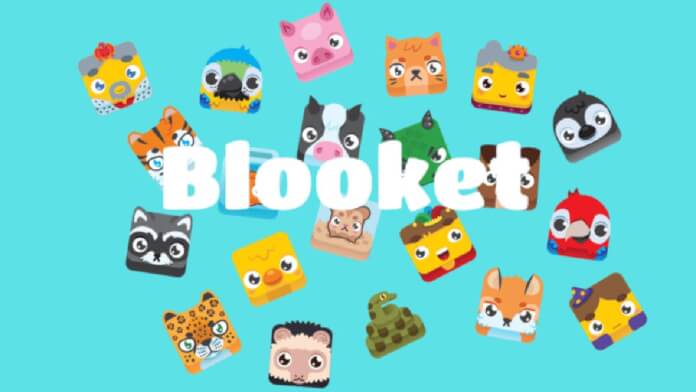

What Is Blooket?
Blooket is a free, browser-based educational game platform designed to make learning engaging for students in kindergarten through high school. Founded by brothers Ben and Tom Stewart and launched publicly in 2021, Blooket transforms review questions and flashcard sets into competitive games where students earn in-game currency, unlock collectible characters called Blooks, and climb leaderboards.
Unlike conventional quiz tools, Blooket adds a layer of strategy and collectibles to the learning experience. Students answer curriculum-based questions while competing in game modes with distinct mechanics — from tower defense and stock markets to fishing and café management. Teachers create or import question sets, then launch live games or assign homework sessions students complete on their own schedule.
How Blooket Works
Blooket operates on a three-step model: teachers create or find a question set, choose a game mode, and share a join code with students. Students connect through any web browser — no app download required — and enter the six-digit code to join instantly. As students answer questions correctly, they earn in-game tokens used to gain advantages, collect Blooks, and win.
The platform is built around its question set library. Teachers can build sets from scratch, duplicate and modify existing ones, or import questions from Quizlet. A large public library of community-created sets covers virtually every subject and grade level, from kindergarten math to AP Chemistry.
How to Join a Blooket Game
Students join a Blooket game through the join page at blooket.com/play, entering the six-digit code provided by their teacher. Students can play as a guest without an account — they type a nickname and are in the game within seconds.
Students with Blooket accounts can log in before joining, which allows the platform to track their progress, add earned Blooks to their permanent collection, and accumulate tokens for the global Token Shop. Teachers see accurate student names in their reports when students log in rather than guest nicknames.

How to Create a Blooket Account
Creating an account on Blooket is free and takes under two minutes. Go to blooket.com and click Sign Up. Students and teachers sign up through the same portal — the account type determines which features are available. Students under 13 must have a parent or teacher create the account on their behalf, in compliance with COPPA regulations.
Account creation requires an email address and a password, or users can log in via Google. Once logged in, users select whether they are a teacher or student, which adjusts the dashboard accordingly. Teacher accounts gain access to set creation tools, hosting controls, assignment scheduling, and class reports. Student accounts show a personal Blook collection, token balance, and game history.
How to Host a Game as a Teacher
Hosting a live game starts from the teacher dashboard. After selecting a question set — either one the teacher created or a public set from the discover library — the teacher clicks Host and chooses a game mode. Each mode has configurable settings: time per question, token earning rate, whether to shuffle questions, and how many questions to include.
Once settings are confirmed, Blooket generates a six-digit game code and a QR code the teacher can display on a projector or share digitally. Students join using the code, and the teacher’s screen shows a live lobby with all participants. The teacher starts the game manually when everyone has joined.
During the game, the teacher’s screen shows a live leaderboard updating in real time. At the end of the session, the teacher sees a full results screen showing each student’s score, accuracy rate, and time spent per question.
All Blooket Game Modes Explained
Blooket’s defining feature is its library of game modes, each with entirely different mechanics layered on top of the same question-and-answer core. As of 2026, Blooket offers more than fifteen distinct modes.
Classic
Students answer questions as fast and accurately as possible to earn tokens. A simple leaderboard shows rankings in real time. Classic is the easiest mode to introduce to new players and works well for quick review sessions.
Gold Quest
After answering correctly, students spin a wheel to win gold coins. Correct answers also let students steal gold from opponents. Wrong answers result in losing gold. Even a consistent quiz performer can be overtaken by a lucky theft at the end.
Tower of Doom
A team-based mode where the class is split into two groups. Each team attacks the other’s tower by answering correctly. Correct answers deal damage; wrong answers give the opponent an opportunity to strike back. Teachers choose team sizes and tower health pools.
Tower Defense 1 and Tower Defense 2
Individual students defend their base from waves of incoming Blooks. Answering correctly earns currency to buy and upgrade defensive towers. Tower Defense 2 features additional tower types and wave mechanics. Both modes reward sustained accuracy over a full session.
Café
Students run a virtual café, earning revenue by answering correctly and spending it to hire staff and upgrade operations. The student with the most revenue at the end wins. Café rewards strategic resource allocation alongside quiz accuracy.
Factory
Students manage a factory, using correct answers to produce and sell items. Upgrades unlock faster production and higher margins. Like Café, Factory rewards both accuracy and efficient resource management.
Crypto Hack
Students accumulate cryptocurrency by answering correctly. Once a student holds enough crypto, they can hack another student’s wallet and steal a portion. Fortunes change rapidly in the final minutes, making this one of Blooket’s most chaotic modes.
Racing
Correct answers move a student’s car forward on a track. The first to cross the finish line wins. Racing is fast-paced and works well for five-to-ten minute review sessions.
Fishing Frenzy
Students earn fishing attempts by answering correctly, then reel in fish worth different token values. Rare catches are worth significantly more. Fishing Frenzy combines quiz accuracy with a luck element.
Battle Royale (Deceptiv-Blook)
A Blooket Plus exclusive mode. Students face off in a battle royale format, with eliminated players dropping out. The last student standing wins. The Deceptiv-Blook mechanic allows players to disguise themselves as common characters to avoid targeting.
Crazy Kingdom
Students manage a medieval kingdom, using tokens from correct answers to hire citizens and build their realm. Citizens periodically offer events requiring decisions — each with risk-reward outcomes that can dramatically shift the standings.
Monster Brawl
A combat mode where students use correct answers to power their monster and attack opponents. The health-and-attack system rewards both accuracy and timing.
Blook Rush
Students earn Blooks for correct answers and deploy them strategically to score points. Blook Rush emphasizes speed and accuracy in quick bursts.
Santa’s Workshop
A seasonal mode available during the winter holiday period. Students answer questions to help produce toys, with mechanics similar to Factory but augmented by holiday-themed event cards.
Blooks: The Collectibles System
Blooks are Blooket’s animal and character avatars that players collect and use as their in-game identity. Every student’s Blook represents them on the leaderboard, game boards, and in gameplay. Collecting rare Blooks is one of Blooket’s most compelling engagement loops for students who return to the platform repeatedly.
Blooks are organized into rarity tiers. Common Blooks are available to all players from the start, including default characters like the Fishy and Ghost. Uncommon Blooks are slightly harder to obtain, available through token purchases or box openings. Rare Blooks require token expenditure in the Token Shop and appear less frequently in boxes. Epic Blooks are significantly harder to obtain and sought-after as status symbols. Legendary Blooks are among the rarest in regular rotation, often tied to limited-time events or specific box types. Chroma Blooks are the rarest tier in standard circulation, featuring animated effects and considered the highest-prestige regular collectibles. Mystical Blooks are extremely rare, obtainable only through specific events, limited boxes, or milestone rewards.
Students unlock Blooks by spending tokens earned in games at the Token Shop, or by completing challenges. Some Blooks are available for direct purchase; others require luck through randomized boxes. Limited-time Blooks tied to seasons or events drive engagement throughout the school year.
Question Sets in Blooket
Every Blooket game is built around a question set — a collection of multiple-choice or True/False questions on a specific topic. Teachers create sets from the dashboard by selecting Create Set. Each question supports a text stem, up to four answer choices, an optional image attachment, and a configurable time limit per question.
The public Blooket library contains millions of community-created sets covering virtually every subject and grade level. Teachers search by subject, grade, or keyword, preview any set before using it, and copy it to their own library for editing. Quizlet import via link is also supported, converting terms and definitions into multiple-choice questions automatically.
Sets can be organized into folders, shared with colleagues by direct link, and configured as public (findable in the library), unlisted (accessible by link only), or private.
Teacher Features in Blooket
Blooket provides teachers with a full classroom management and content creation toolkit accessible from the teacher dashboard.
Class Management: Teachers create named classes and add students by sharing a class code. Students who join a class are tracked automatically, so teachers can follow individual progress across the entire school year without relying on students to type their name correctly each session.
Hosting Controls: During live games, teachers control the pace, pause or end sessions early, and monitor the real-time leaderboard from their own screen while students focus on gameplay.
Assignment Scheduling: Teachers set homework assignments by choosing a question set, a game mode, and a deadline. The assignment generates a shareable code or link for students. Completion status and individual results appear in Reports after the deadline.
Reports: Every completed session — live or homework — generates a detailed report showing each student’s accuracy rate, questions answered, time per question, and overall score. Reports are exportable to spreadsheet format for grade entry.
Set Sharing: Sets are shareable via direct link and can be configured as public, unlisted, or private from the set settings menu.
Student Features in Blooket
Logged-in students access a personal dashboard showing their Blook collection, token balance, game history, and class memberships.
Blook Collection: Every Blook a student has unlocked appears in their collection tab. Students set any unlocked Blook as their active avatar, which then appears across all games they join.
Token Shop: Students spend tokens earned in games at the Token Shop to open boxes and attempt to unlock new Blooks. Some Blooks are available for direct purchase; most require box openings with randomized outcomes.
Game History: Students view a record of recent games, including which sets they played, which mode was used, and their performance relative to classmates.
Class Membership: Students who join a teacher’s class see assigned homework in their dashboard and receive notifications when new assignments go live.
Assignments and Homework Mode
Homework mode is one of Blooket’s most practical classroom features. Unlike live games requiring simultaneous participation, homework assignments run on an open-ended timer the teacher defines — typically 24 to 72 hours.
Students access homework by clicking the assignment link or entering the homework join code. They play one or more sessions of the assigned game mode and their results are recorded automatically when the deadline passes.
Teachers configure assignments from the Assignments section: which question set to use, which game mode to assign, the deadline, whether to allow multiple attempts, and the minimum score or question count required.
Homework results appear in the Reports tab organized by student name with completion status, accuracy rate, and time spent. The homework feature makes Blooket useful beyond class periods for test prep, spaced repetition, and independent practice.
Reports and Analytics
Blooket’s reporting system provides question-level performance data that goes beyond a simple final score.
After any completed session, teachers access Reports to see per-student accuracy — which questions each student answered correctly or incorrectly. Question-level analysis flags questions the majority of students missed, helping teachers identify concepts that need reteaching before moving forward. Session timeline data shows how long students spent on each question, distinguishing deliberate answers from rapid guessing. Class-wide averages provide aggregated accuracy and score data across all participants.
Blooket Plus adds enhanced analytics: individual student progress over multiple sessions, exportable CSV data for gradebooks, and question-by-question breakdown charts that visualize where a class is struggling most.
Blooket Pricing: Free vs. Blooket Plus
Blooket operates on a freemium model. The free tier covers the core functionality most teachers need daily and imposes no limits on class size or sessions. Blooket Plus adds premium features for educators who want deeper analytics, exclusive game modes, and additional customization.
Free tier includes: unlimited students per game, access to most game modes, full set creation tools, the public library, homework assignments, basic end-of-session reports, and Quizlet import.
Blooket Plus adds: advanced analytics and detailed per-student reports, exclusive game modes including Battle Royale/Deceptiv-Blook, priority customer support, enhanced assignment options, and early access to new features as they roll out.
Blooket Plus is priced as a teacher subscription at approximately $9.99 per month or $119.88 per year for individual teacher plans. District and school licensing is available for institutions looking to provide Plus access to multiple teachers. Student accounts remain entirely free regardless of whether their teacher subscribes to Blooket Plus.
Compatibility and System Requirements
Blooket runs entirely in a web browser with no software installation required. It is compatible with computers running Windows, macOS, or ChromeOS using Chrome, Firefox, Safari, or Edge. On tablets, Blooket works via Safari or Chrome on iPad and via Chrome on Android tablets. iPhones and Android phones can play Blooket through their default browsers, though the experience is optimized for larger screens.
A stable internet connection is required for all game modes. Teachers hosting games on a projector should maximize their browser window so the join code and QR code are clearly visible to the entire class.
Safety, Privacy, and COPPA Compliance
Blooket is designed for safe K-12 classroom use and complies with the Children’s Online Privacy Protection Act (COPPA), which governs the collection of personal data from children under 13 in the United States. The platform is also FERPA-compliant, meeting the federal requirements for student data privacy in educational settings.
Key safety features include the ability to play as a guest with no account or personal information required. For accounts created for students under 13, a parent or teacher must initiate account creation. Blooket does not display advertising to any users. The platform does not sell student data to third parties. Communication between students is limited entirely to in-game interactions — there is no direct messaging, open chat, or social feed.
Teachers control access through join codes, and guest players are identified only by the nickname they choose. The combination of COPPA and FERPA compliance makes Blooket appropriate for classroom use at virtually every US public and private K-12 school.
Blooket vs. Kahoot!, Gimkit, and Other Platforms
Blooket occupies a distinct position in the educational games market, sitting between the accessibility of Kahoot! and the deeper mechanics of Gimkit. For teachers evaluating multiple platforms, our guide to alternatives to Kahoot puts several tools side by side.
Compared to Kahoot!, Blooket offers more game mode variety, a collectibles system that drives long-term student engagement, and a homework mode that Kahoot! lacks in its free tier. For a detailed head-to-head analysis, our Blooket vs. Kahoot comparison breaks down which platform best fits different classroom contexts.
Compared to Gimkit, Blooket is generally more accessible for younger students and quicker for teachers to set up. Gimkit offers a deeper in-game economy and more sophisticated strategy in some of its kit modes. Our Blooket vs. Gimkit comparison explores both platforms in depth. For teachers who want to understand Gimkit on its own terms, our Gimkit 2026 review covers all current modes and pricing.
Tips for Getting the Most Out of Blooket
Start with Classic mode for first-time players to ensure students understand the basics before introducing strategy-heavy modes that add stealing, combat, or resource management layers.
Use Gold Quest or Crypto Hack for high-engagement review sessions — the ability to steal from classmates creates memorable, appropriately competitive energy that students often request again.
Schedule homework assignments at least 48 hours before a quiz or test to give students time for multiple sessions of self-paced review.
Explore the public set library before building your own — a well-rated community set on a standard topic often saves significant preparation time. Always preview sets before assigning them to verify factual accuracy.
Create a class in Blooket at the start of the school year and have students join it during the first week. This ensures accurate name tracking in reports throughout the year without relying on students to remember their login each session.
Use the per-question accuracy data in reports after each session to identify the questions most students missed. Reteach those concepts directly before introducing new material.
Troubleshooting Common Blooket Issues
Game code not working: Verify the code is current — Blooket game codes expire when the host ends the session. Ask the teacher to confirm the game is still active and share the current code.
Can’t log in: Use the Forgot Password link on the login page. Check that the email address matches the registration email. Google login requires cookies to be enabled in the browser.
Game running slowly or freezing: Blooket is resource-intensive in some modes, particularly tower defense modes with many simultaneous players. Close other browser tabs, disable browser extensions, and check the internet connection. On Chromebooks, a full restart before class often resolves freezing problems.
Blooks not saving after a guest game: Guest sessions do not save Blooks or tokens. Students must be logged in to a Blooket account before joining a game for collectibles and tokens to be saved to their profile.
Reports showing wrong student names: This happens when students join as guests or type their name incorrectly. Encourage all students to log in to their Blooket account before joining to ensure accurate name matching in teacher reports.
Quizlet import not working: Quizlet’s API occasionally changes in ways that affect the import process. Try again later, or manually recreate the set using the Quizlet web view as a reference.
Frequently Asked Questions About Blooket
Is Blooket free?
Yes. The free tier includes access to most game modes, unlimited students per session, set creation tools, the public library, homework assignments, and basic end-of-session reports. Blooket Plus is a paid teacher subscription that adds advanced analytics, exclusive game modes, and priority support.
Do students need an account to play Blooket?
No. Students join any live game as a guest using only a nickname and the six-digit game code. Guest players do not save Blooks, tokens, or game history. A free student account is required to keep collectibles and access a personal stats dashboard.
What age is Blooket appropriate for?
Blooket is designed for kindergarten through 12th grade (ages 5 to 18). The platform is COPPA-compliant and safe for children under 13. Gameplay in most modes is accessible from approximately age 7 upward with minimal teacher guidance.
How many students can play Blooket at once?
Blooket does not publish a hard cap on students per game. Sessions with 30 to 35 students run smoothly across all modes. Large-scale games with hundreds of participants are possible, though performance may vary by game mode and server load.
Can Blooket be used for homework?
Yes. Teachers assign Blooket games as homework through the Assignments feature in the teacher dashboard. Students complete the game at any time before the deadline, and results appear in the teacher’s Reports section once the deadline passes.
What are Blooks?
Blooks are the collectible character avatars in Blooket. Students unlock them by spending tokens earned in games at the Token Shop. Blooks come in rarity tiers from Common to Mystical, with rarer Blooks conferring greater prestige. Students choose an active Blook that represents them in every game they play.
Is Blooket safe for kids?
Yes. Blooket is COPPA-compliant and FERPA-compliant. The platform displays no advertising, does not sell student data, and has no open chat or direct messaging features. Students can play entirely as guests with no personal information required.
How do I import a Quizlet set into Blooket?
In the teacher dashboard, select Create Set, then choose Import from Quizlet. Enter the Quizlet set URL or ID. Blooket converts terms and definitions into multiple-choice questions automatically. Review the imported questions before assigning the set to verify accuracy.
What is Blooket Plus and is it worth it?
Blooket Plus is the paid teacher subscription at approximately $9.99 per month or $119.88 per year. It adds detailed per-student analytics, exclusive game modes including Battle Royale, enhanced assignment options, and priority support. For teachers using Blooket multiple times per week who need granular student data, Plus adds meaningful value. For occasional use, the free tier is sufficient.
Can Blooket be used on a phone or tablet?
Yes. Blooket runs in any modern web browser and is compatible with iPhones, Android phones, iPads, and Android tablets. The game experience is optimized for larger screens, but core gameplay is fully functional on mobile devices.
How do I fix a Blooket game that keeps freezing?
Close all other browser tabs to free memory, disable browser extensions, and verify the internet connection is stable. Tower defense modes are the most resource-intensive — switching to Classic or Racing resolves most freezing issues. On Chromebooks, a full restart before class addresses the majority of performance problems.
Does Blooket work with Google Classroom?
Blooket does not have a native Google Classroom integration for automatic grade syncing. Teachers share Blooket assignment links directly through Google Classroom posts. Students click the link, complete the assignment, and results automatically appear in the Blooket teacher dashboard.
Last updated: August 2026. Information verified against current Blooket platform features.