
NEW YORK — The quiz platform with the deepest game catalogue in classroom EdTech shipped its biggest update in years last August: an AI question generator capable of producing 30 questions on any topic, from pre-K through university, in about the time it takes a teacher to log in. For the roughly 3 million users who open Gimkit each month, that feature alone is enough to start the trial. What happens next, after the first session, when the free tier’s player cap appears uninvited, tells a more complicated story about where Gimkit sits in the classroom game market in 2026.
Gimkit was built in 2017 by Josh Feinsilber as a high school project in Seattle. The idea, borrowed loosely from Kahoot but pushed further, was that students should be able to spend their in-game earnings on upgrades and power-ups rather than just watch a leaderboard tick. That virtual economy became the platform’s identity. Students answer questions to earn currency, then use that currency to buy advantages: faster earning rates, shields, sabotage tools that feed back into the competitive session. It is not a passive quiz; it is a game that happens to use quiz content.
That distinction matters because it explains why Gimkit retained classroom attention after Kahoot and Blooket normalized the game-show format. The platform now ships 13 active Gimkit game modes: nine top-down worlds and four platformer variants. The top-down library includes Fishtopia (a fishing economy loop), Trust No One (a social-deduction mode built on the Among Us template), One Way Out, Humans vs Zombies, and Capture the Flag. The four platformers (Don’t Look Down, Knockback, Boss Battle, and Color Clash) run as vertical or side-scrolling challenges where student positions on screen are tied directly to their answer accuracy. Don’t Look Down, in which players climb a tower by answering correctly and fall when they do not, is consistently the most requested mode in middle-school classrooms.
Three modes are available for free at any given time, rotating on a schedule Gimkit controls. The rest require a Pro subscription: $59.88 a year, or $14.99 a month if billed monthly. The annual figure works out to $4.99 effective per month, a number the company emphasizes because four months of monthly billing already exceeds the annual cost.
The free tier also imposes a five-student cap on Pro-exclusive modes, which functions less like a preview and more like a pressure mechanism. Teachers who run a 30-student class on free discover the cap only after their students have joined and the energy in the room is already building. Gimkit does not publish data on what share of teachers upgrade after encountering that ceiling, but the design is clearly intended to close the decision at that moment.
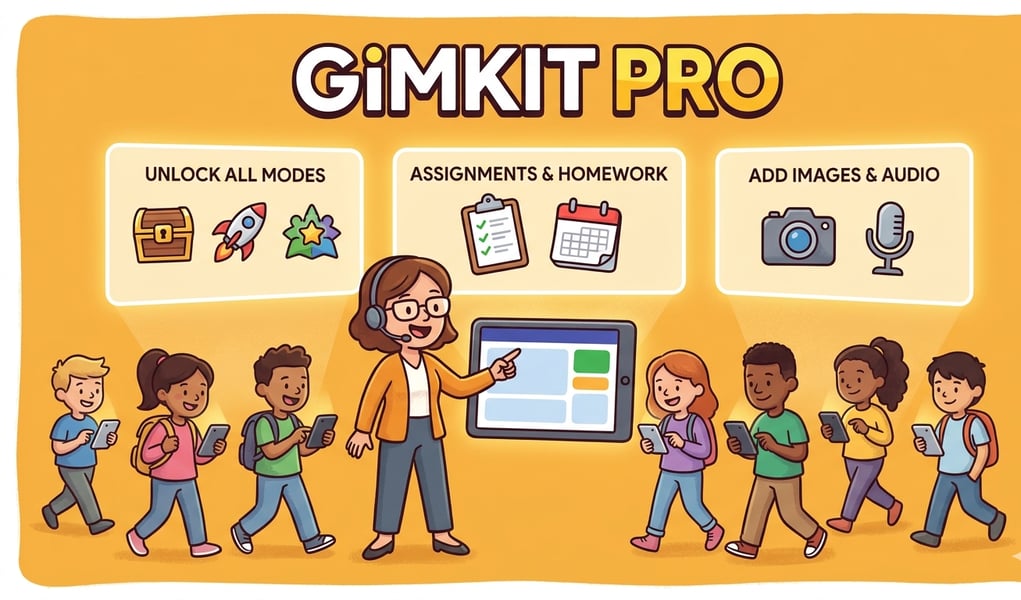
The AI Question Generator, included with Pro, produces 10 to 30 questions per topic in batches, added directly to an existing kit. Grade level parameters span pre-K through university. The tool is a practical efficiency gain for teachers who previously spent sessions building content manually; it is not a replacement for curated question sets but it substantially lowers the entry cost for new topics.
Two concerns that appear consistently in teacher-facing reviews of Gimkit are cheating exposure and accessibility gaps. The platform’s documented vulnerabilities include auto-answer browser extensions and bot flooders, documented publicly enough that Lexington High School in Massachusetts banned Gimkit in March 2025 pending a security review. Gimkit employs pattern-detection that flags inhuman answer speeds, but the platform’s own guidance recommends active room monitoring as the primary mitigation. On accessibility, a 2024 audit by Berkeley Unified School District found the platform failed web accessibility standards; the Read-to-Me feature, useful for early grades and English-language learners, works inconsistently across different game modes.
Where Gimkit holds its strongest position is in the live, high-energy review session, particularly in middle school, with classes under 30 students, on school-issued Chromebooks. The 2D game worlds require a browser and an active connection; there is no mobile app, which limits access for students who rely on phones for homework. The Trust No One mode, which introduces social deduction into the quiz format, breaks down with groups above 25 students as vote-targeting and meeting-spam mechanics overwhelm the gameplay structure.
Compared to Kahoot, Gimkit’s Pro pricing is notably cheaper; Kahoot’s comparable tier runs $120 a year versus Gimkit’s $59.88. Compared to Blooket, Gimkit’s free tier is more restrictive but its mode depth is considerably wider. Neither comparison is straightforward because the platforms do different things well: Kahoot leads on mobile reach and a research citation base built from over 200 published studies; Blooket offers a genuinely generous free tier with a 60-student cap; Gimkit leads on game variety and in-session energy for the specific demographic that keeps coming back to Don’t Look Down.
What Gimkit does not do, in any tier, is help students retain content after the session ends. The platform has no spaced-repetition system. A missed answer during a live game disappears from the platform’s memory once the session closes. For short-term engagement, that limitation barely shows. For teachers trying to build retention across weeks, it is the gap that makes Gimkit a complement to a curriculum rather than its backbone.