
SAN FRANCISCO — The wallpaper on your Pixel phone is about to start acting like an iPhone’s, and Google is not even trying to hide it.
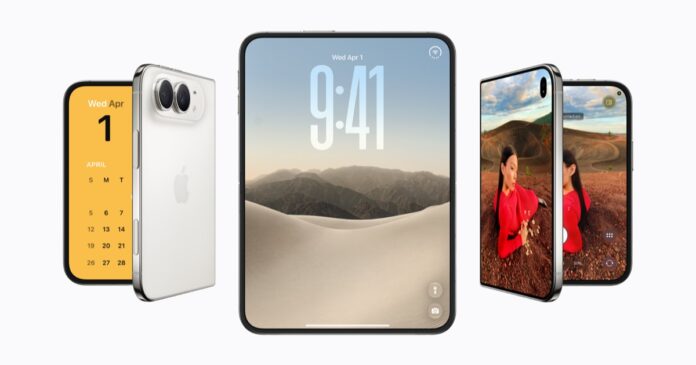
Code buried inside Android 17 QPR1 Beta 5, which Google rolled out to testers on June 23 with build CP31.260608.007, reveals a feature called Photo Shuffle that mirrors Apple’s identically named iOS wallpaper mode almost line for line. Users will be able to pick an album from Google Photos – favourite people, pets, landscapes, whatever they compile – and the lock screen and home screen wallpapers will cycle through those images on a schedule the owner controls. Apple has offered this since iOS 16 in 2022. Google’s existing wallpaper rotation, by comparison, picks the photos for you and does not let you set the interval.
That gap matters less for its technical complexity than for what it reveals about how Google is reading the competitive landscape heading into the second half of 2026. Android 17, which launched alongside the June Pixel Drop on June 17, already delivered the most significant multitasking overhaul Pixel phones have seen in years. Photo Shuffle suggests Google’s product team is now sweeping up the kind of small personalisation wins that kept iPhone users loyal through a decade of Android catching up on big features.
The same beta build carried something far more interesting for anyone tracking where Google’s hardware strategy is headed. On the Pixel 10 Pro Fold – and only on the foldable’s outer display – a boot animation briefly flashed the Gemini Intelligence logo before disappearing. No other Pixel device in the beta programme showed it. None of the Gemini Intelligence features Google teased at I/O, including Create My Widget, Gboard’s Rambler dictation mode, and expanded cross-app automation, were actually functional in the build. 9to5Google reported the branding was likely an oversight, but oversights still tell you what is being built underneath the surface.
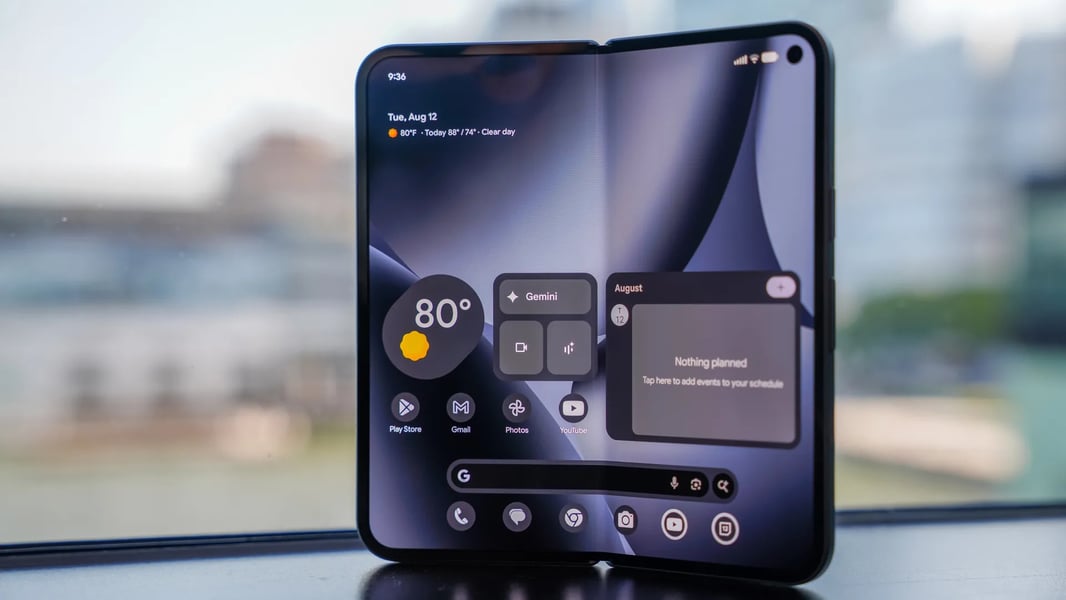
Gemini Intelligence is the umbrella Google chose for what amounts to a system-level AI layer that sits beneath every app on the phone. When it arrives – Google has said this summer, without committing to a date – it is supposed to let the phone anticipate what you need before you ask. Widgets that build themselves from your calendar and email. Dictation that understands not just words but intent, restructuring your rambling voice note into a coherent paragraph. Automation chains that connect apps without requiring you to learn a scripting language. The boot screen slip on the Pixel 10 Pro Fold hints that the foldable may be the first device to get the full suite, which would make sense given Google’s pattern of using its most expensive hardware as a showcase.
Meanwhile, the feature that shipped with Android 17 itself – not the beta, but the stable release now running on Pixels from the 6 through the 10 series – is the one users are actually talking about. App Bubbles turn any application into a floating window that hovers over whatever else you are doing. Long-press an icon, tap the bubble option, and the app shrinks into a compact overlay you can drag anywhere on screen. Tap outside it, and it collapses to a small circle docked at the edge. Up to five bubbles can run simultaneously; opening a sixth automatically dismisses the oldest.
Chat bubbles have existed on Android since Android 11, but they were confined to messaging apps that opted in. What Google did with Android 17 was break bubbles out of that silo entirely. A calculator hovering over a spreadsheet. A browser window floating above a document. A maps preview sitting on top of a group chat while you plan a route. On tablets and foldables, the bubbles dock into a dedicated bar at the bottom of the screen, turning the device into something that behaves less like a phone and more like a desktop operating system with a taskbar.
The combination is not accidental. Google is running two strategies in parallel, and they are aimed at different anxieties. Photo Shuffle targets the personalisation gap – the accumulated small delights that make iPhone owners feel their phone is theirs in a way Android historically did not match. App Bubbles target the productivity gap, particularly on large-screen devices where Android’s multitasking has lagged behind iPadOS and Samsung’s DeX mode for years. And Gemini Intelligence, when it arrives, targets something Apple has not yet answered: a system-level AI that does not just respond to commands but acts on context across the entire device.
There is a telling detail in the Photo Shuffle implementation. According to PhoneArena’s analysis of the code, users will be able to create albums specifically for the feature or pull from existing Google Photos albums. Apple’s version works the same way with the iOS Photos library. But Google’s version reportedly adds granular control over shuffle frequency – something Apple’s implementation still handles with vague “daily,” “hourly,” and “on tap” options. If Google ships this with more precise timing controls, it will have taken Apple’s idea and given it a feature Apple’s own users have been requesting for four years.
What neither the beta code nor Google’s public statements clarify is whether Photo Shuffle will arrive in the stable QPR1 update expected this fall, or whether it will be held for a Pixel Drop or even Android 18. The feature exists in code but is not user-facing in Beta 5, which is primarily a bug-fix build. Among the ten fixes Google listed: a camera app freeze on launch, a pixelated bottom bar when waking from always-on display, and Private Space crashes that exposed locked apps in search results. The last one is a privacy defect, not just a nuisance, and its presence in a fifth beta suggests the QPR1 branch still has rough edges that need sanding before stable release.
Beta 5 also quietly restored support for the Pixel 6 and Pixel 6 Pro, which had been dropped from Beta 4. Google did not explain why the oldest supported devices were temporarily excluded or why they were brought back. That kind of inconsistency fuels the persistent complaint among long-time Pixel owners that Google’s software support, while officially generous in duration, is erratic in execution. A phone that loses beta access for one build and regains it the next does not inspire confidence that the stable channel will be any smoother.
The broader picture is a company that is no longer embarrassed to borrow visibly from Apple when the borrowed feature fills a real gap, while simultaneously building an AI layer that Apple’s own Siri-based intelligence system has not matched. Whether those two impulses – imitation on the surface, ambition underneath – produce a coherent product identity is the question Google’s Pixel team has not yet answered, and Beta 5’s mix of borrowed wallpaper tricks and half-visible AI branding suggests they are still figuring it out themselves.
The stable QPR1 release, carrying whatever survives from these betas, is expected to reach Pixel devices in the fall. Until then, the Gemini Intelligence logo on the Pixel 10 Pro Fold’s boot screen remains what it was almost certainly not meant to be: a preview.