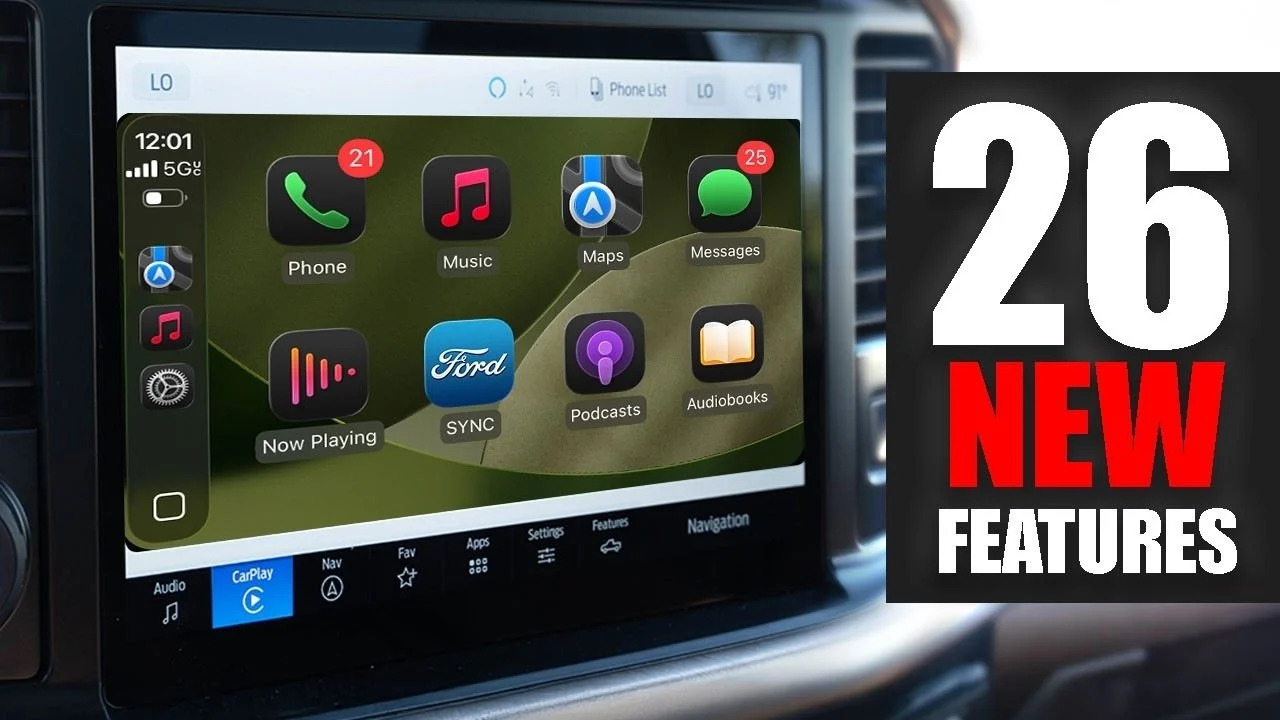

Apple’s iOS 26 update is significantly reshaping the CarPlay experience, introducing a deeper level of personalization that turns the in-car interface into a more adaptive digital dashboard. The latest upgrade focuses on visual flexibility, accessibility improvements, and modular information display, marking one of the most notable CarPlay evolutions in recent years.
Reports indicate that Apple is pushing CarPlay toward a more customizable system where drivers can adjust layout density, widget placement, and display scaling depending on vehicle type and screen size. This shift aligns with Apple’s broader software strategy of making interfaces more adaptive across devices and environments.
While Apple continues to refine its ecosystem-wide security and usability features across iOS updates, including recent system stability improvements and privacy patches highlighted in updates such as iOS 26.4.2 security fixes, CarPlay is now evolving into a more visually intelligent interface rather than a static projection of iPhone apps.
Smart Display Zoom brings adaptive screen scaling
One of the most important additions in iOS 26 CarPlay is Smart Display Zoom, a feature that automatically adjusts interface scaling based on vehicle display size and resolution.
This adaptive design philosophy reflects Apple’s growing focus on system-level intelligence, similar to refinements seen across its broader software ecosystem, including cross-platform improvements like encrypted messaging upgrades in iOS 26.5 described in recent Apple and Google RCS encryption rollout.
Widgets turn CarPlay into a live information hub
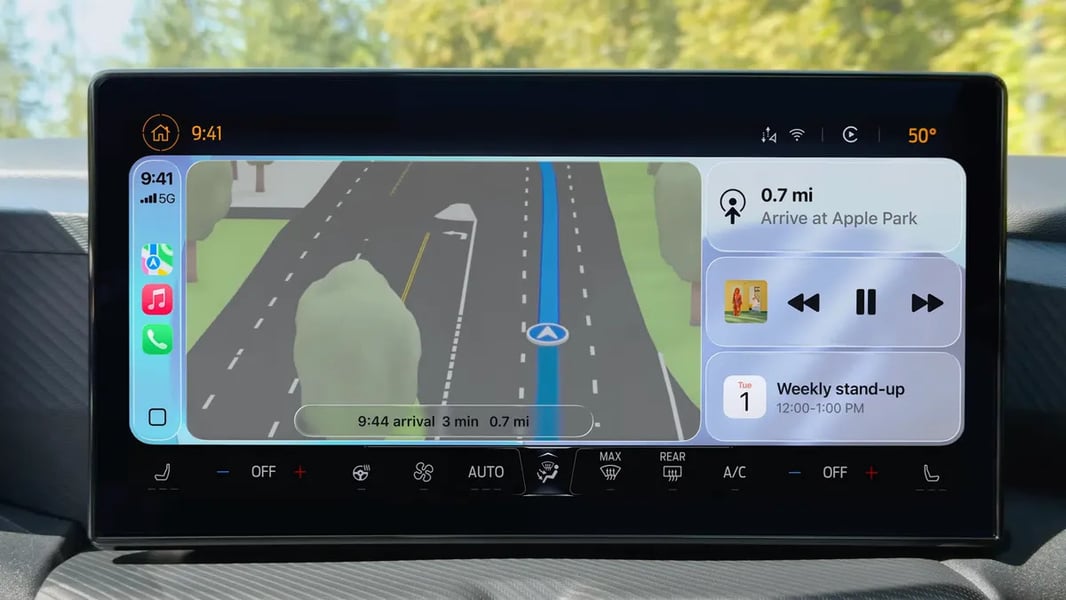
CarPlay in iOS 26 introduces widgets as a core interface layer, allowing drivers to access real-time information without launching full applications.
These widgets can display calendar events, weather updates, navigation summaries, and smart home controls. Users can customize widget stacks directly from their iPhone, enabling a more personal driving dashboard experience.
Industry observers say this brings CarPlay closer to a modular operating system inside the car, where information is layered rather than hidden inside apps.
New wallpapers and visual personalization
Apple is also introducing redesigned CarPlay wallpapers that adjust dynamically between light and dark modes depending on ambient lighting conditions.
These wallpapers are not just cosmetic. They improve visual clarity and reduce distraction in varying driving environments, especially during nighttime use or long-distance travel.
The design direction follows Apple’s broader UI evolution strategy seen across recent iOS releases and experimental builds reported in updates such as iOS 26.5 interface refinements.
Text resizing improves accessibility and safety
iOS 26 also extends accessibility controls into CarPlay, allowing drivers to adjust text size across the entire interface.
This improves readability for navigation prompts, messages, and system alerts, especially on smaller dashboards or in low-contrast lighting conditions. It also reduces cognitive load by making essential information easier to scan at a glance.
Refined layout and icon control
Beyond major features, Apple has introduced subtle refinements to icon arrangement and layout density. Drivers can now choose how many apps appear on screen and how tightly information is grouped.
This level of control allows CarPlay to better adapt to different driving styles, from minimal distraction-focused layouts to information-rich dashboards for longer journeys.
These changes reflect Apple’s ongoing effort to unify interface logic across its ecosystem, similar to system-wide refinements seen in updates like iOS 26.4.1 stability and security improvements.
CarPlay evolves into a smarter driving companion
With iOS 26, CarPlay is no longer just an extension of the iPhone. It is becoming a dynamic, context-aware driving interface that adjusts based on screen size, user preferences, and driving conditions.
The combination of Smart Display Zoom, widgets, wallpapers, and accessibility controls signals Apple’s long-term strategy of turning CarPlay into a fully adaptive in-car operating layer rather than a fixed infotainment system.
While some features may vary depending on vehicle manufacturer support, the direction is clear. Apple is steadily transforming CarPlay into a more intelligent and personalized driving environment that prioritizes clarity, safety, and user control.