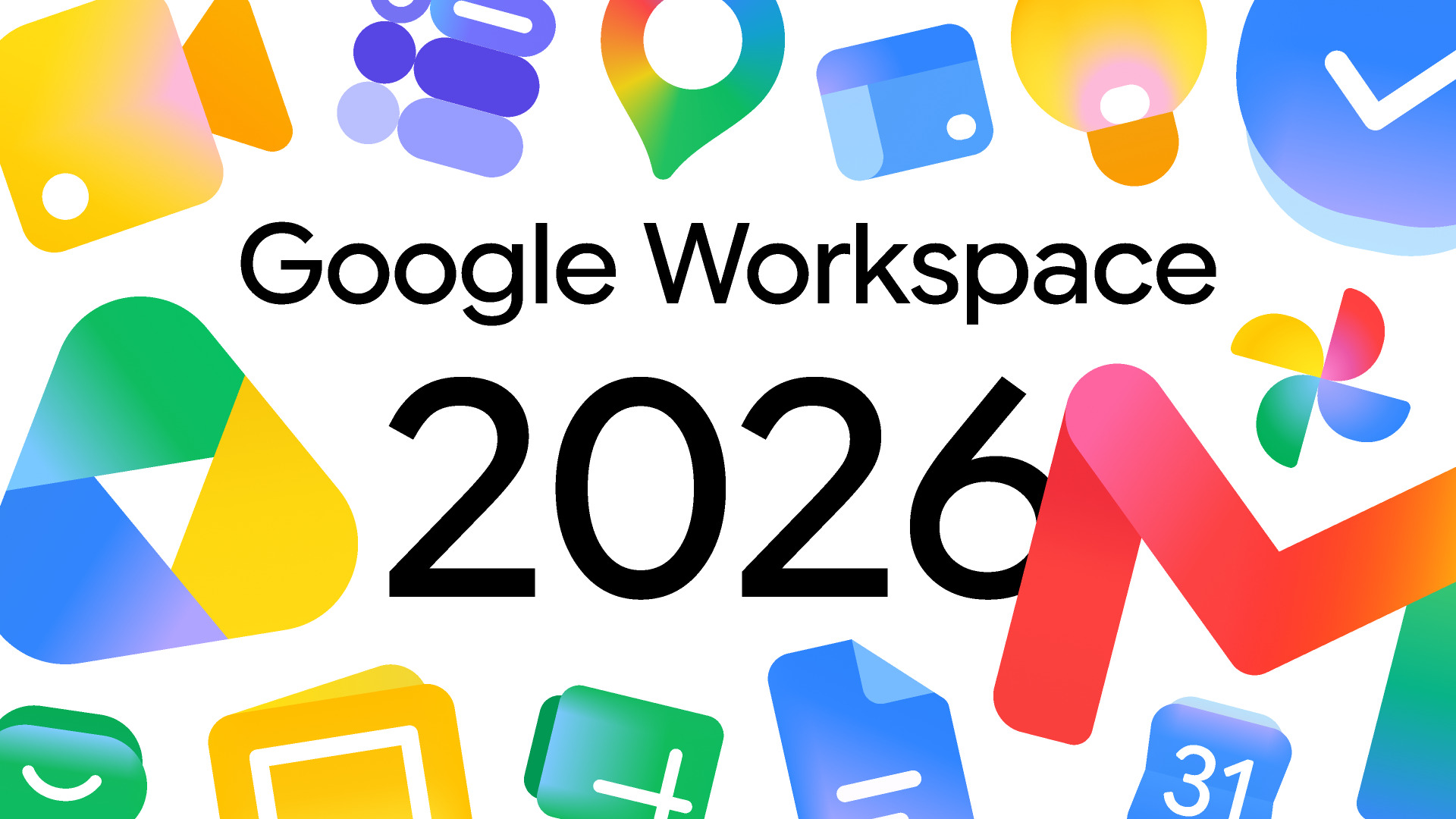

Google has started rolling out a major redesign of its Workspace app icons, introducing a gradient-driven visual system across core productivity tools including Gmail, Google Drive, Docs, Sheets, Calendar, and Meet. The update is already visible in web interfaces such as the app launcher and Chrome new tab experience, marking one of the most significant visual shifts in Google’s productivity ecosystem in years.
This redesign reflects a wider strategic move toward a more fluid and modern identity system. According to Google’s broader design evolution, the company has been gradually shifting its products toward softer gradients and more expressive visual structures that better align with its AI-first product direction.
A move toward gradient-based identity
The most noticeable change is Google’s departure from its long-standing flat four-color icon system. Instead of rigid color blocks, the new icons use smooth gradient transitions that create a more dimensional and adaptive look across devices.
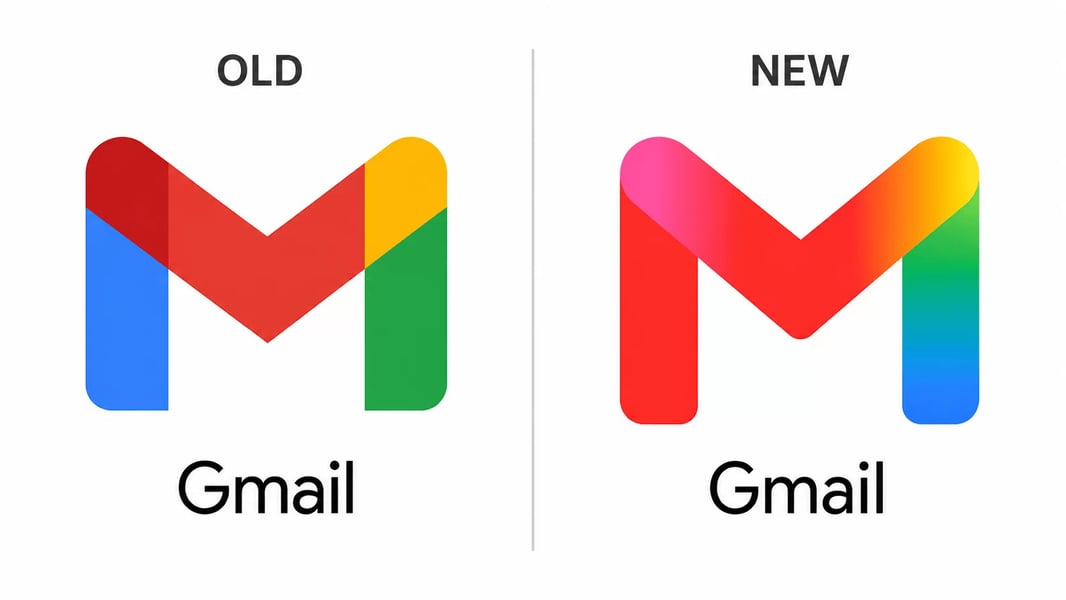
Workspace apps are now visually more distinct, with each product leaning into its own dominant tone while still maintaining a shared design language. This makes icons easier to identify in dense app grids, especially on mobile devices where clarity is critical.
Gmail, Drive, and Docs receive subtle refinements
While the redesign spans the entire Workspace suite, Google has taken a careful approach to each app.
- Gmail retains its familiar envelope structure but now features smoother gradient shading instead of flat red tones
- Google Drive adopts a cleaner triangular form with softened transitions between colors
- Docs, Sheets, and Slides maintain their document-based identity while gaining improved contrast and softer gradients
- Calendar and Meet now feature more simplified color emphasis for faster recognition
These refinements are designed to improve usability without breaking familiarity, ensuring users can still recognize apps instantly while benefiting from a more modern visual system. The update also improves consistency across the broader Workspace app icons ecosystem.
End of the rigid four-color era
One of the most important strategic shifts in this redesign is Google’s decision to move away from enforcing all four brand colors in every icon. Instead, each app now emphasizes a dominant color supported by gradients rather than equal segmentation.
This change is especially visible in how Google is redefining its ecosystem identity. The company’s push toward an AI-first ecosystem has influenced not only product features but also visual presentation, creating a more cohesive design language across apps and platforms.
As part of this shift, icons are no longer constrained by strict symmetry or uniform color distribution. The result is a more flexible and scalable visual system that adapts better to different screen sizes and contexts.
Design direction influenced by broader ecosystem changes
Google’s redesign is not happening in isolation. It reflects a wider transformation in how the company approaches interface design, particularly as AI becomes more deeply integrated into its products.
The transition aligns closely with its design language, which emphasizes expressive, adaptive, and context-aware interfaces. This framework has already influenced Android and Google’s web products, and Workspace is now the latest major beneficiary.
These updates also connect with Google’s ongoing system-wide changes seen in Android UI development and experimental interfaces, which reflect a broader design evolution across its platforms.
Part of a larger industry-wide shift
Google’s redesign arrives amid a wider tech industry movement toward more expressive, gradient-rich interfaces. Companies are increasingly moving away from flat design systems in favor of more visually dynamic branding approaches that scale better across devices and resolutions.
This trend is not limited to Workspace alone. Recent UI changes across streaming and media platforms, including YouTube Music’s interface adjustments, highlight how design language is evolving across Google’s broader product ecosystem.
At the same time, competition in the tech industry continues to influence design decisions, with rival ecosystems also exploring major interface changes. This ongoing competition reflects a broader push toward more immersive and visually consistent user experiences, especially as companies race to define the next generation of digital interaction.
Internal competition is also evident when comparing Google’s direction with Apple’s design strategy, which has also been undergoing significant transformation. The contrast highlights a broader industry major visual shift across leading platforms.
What comes next for Workspace design
The rollout is expected to continue gradually across Android, iOS, and desktop platforms over the coming weeks. Google is likely to expand on this visual overhaul during upcoming announcements tied to its developer and ecosystem events.
As the update spreads, users may see mixed states where new icons appear in some surfaces while older designs remain in others. This phased deployment suggests Google is carefully testing usability and recognition before completing a full transition.
If fully adopted across the ecosystem, this redesign marks the end of Google’s long-running flat icon era and establishes a new visual foundation for its productivity suite. It also signals how deeply design and AI strategy are now interconnected within Google’s long-term product roadmap.