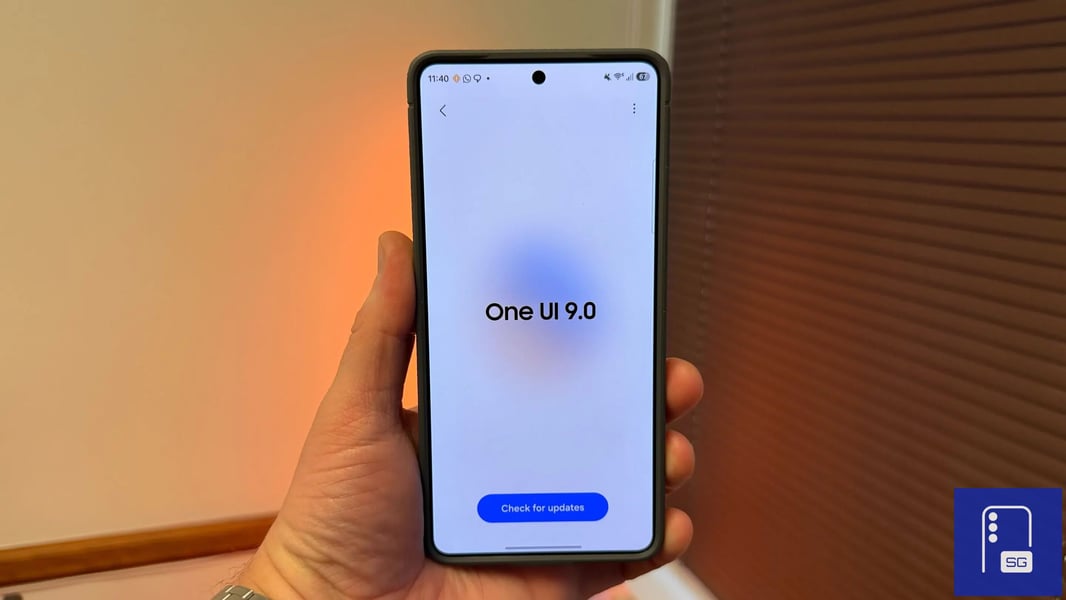

SAN FRANCISCO — For years, Galaxy users have watched Android rivals display live upload and download speeds directly in the status bar — a strip of screen real estate that Samsung left blank. On a Xiaomi device, the numbers just appear. On a OnePlus phone, they are there out of the box. On a Galaxy, you installed a third-party app, accepted accessibility permissions you were not entirely comfortable with, and lived with the clutter. That gap closes with One UI 9, sort of.
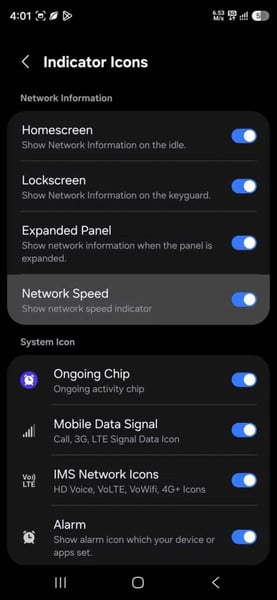
Samsung is adding a real-time network speed indicator to Galaxy phones through One UI 9, according to reports first surfaced by SammyGuru this week. The catch — and it is a meaningful one — is that the feature is not built into One UI’s core settings. It lives inside QuickStar, a module within Samsung’s Good Lock customization app. To get it, you need to know Good Lock exists, know to install it, know to open QuickStar, and know to look inside the Indicator Icons submenu. That is not a simple toggle. That is a scavenger hunt for the determined.
The distinction matters because it says something about how Samsung has come to think about its own software. Good Lock is, in effect, Samsung’s opt-in laboratory — a place where features live when the company is not yet ready to surface them to the 600 million Galaxy users who will never voluntarily download a customization module. Some Good Lock features eventually migrate into core One UI settings. Others stay tucked inside the app indefinitely, accessible only to the subset of Galaxy owners enthusiastic enough to go looking.
Which category the network speed meter ultimately falls into is, as of the current One UI 9 beta, not yet determined. The beta is currently running only on Galaxy S26 devices, and Samsung has not announced a timeline for expanding it to the broader Galaxy lineup, though wider access is expected within weeks. The stable release of One UI 9 is anticipated in late July, with a fuller rollout likely to stretch into September.
Once enabled through QuickStar, the indicator appears beside the existing signal icon in the status bar, displaying current connection speed for both mobile data and Wi-Fi in real time. Users who have spent years relying on third-party apps to get this readout will recognize the appeal immediately. Those apps typically required persistent background services and, in many cases, notification bar access that doubled as an advertisement. Samsung’s implementation, working through its own software layer, avoids those trade-offs — the display is cleaner, and no third party is involved in reading the connection data.
The One UI 9 version of QuickStar also introduces a toggle that disables the “Ongoing Chip” — Samsung’s expandable status bar element that surfaces live activity from apps running in the background. Active calls, running timers, voice recordings: all of these currently appear in the chip automatically. Some users find it useful. Others find it intrusive. The new toggle, labeled “Ongoing chip activity” in current beta builds, gives users the choice to suppress it entirely. Whether that specific phrasing survives into the stable release is uncertain; beta language tends to change.
One UI 9 is built on top of Android 17, Google’s next major platform release, which has not yet shipped in stable form even for Pixel devices. Samsung building on a not-yet-released Android foundation while simultaneously running its own One UI beta is not unusual for the company; it has done so consistently across the Galaxy S series. But it does mean the One UI 9 feature set may continue to shift as the underlying Android 17 platform finalizes.
The network speed addition arrives as Samsung has been on a quiet run of One UI 9 refinements. Earlier this month, the company pushed updates making Galaxy phones meaningfully harder to steal, adding lockdown controls accessible directly from the power menu. That feature, unlike the network speed meter, is part of core One UI — not a Good Lock module — which may tell you something about Samsung’s internal calculus for what gets baked in versus what gets routed through the opt-in layer. BGR noted that Samsung has not ruled out eventually moving the network speed readout into native settings, though no confirmation has been offered.
Power users will get what they wanted. Whether Samsung eventually decides this particular feature belongs in settings for everyone — or whether it stays inside Good Lock, visible only to the users who know to look — is the question that will determine how meaningful the addition actually is. On competing Android devices, the answer was never a question at all.